Install the app
From the invitation link to your ahzab, step by step
The app does not come through the Google Play Store: it is downloaded from our website. So your phone asks questions it does not ask for other apps. This page shows you each of them, and what to tap to answer: it is what is framed in gold in the pictures.
The steps on video
Every step in under three minutes, on a real phone. For now it exists in Arabic and in French; you can download it to share in the WhatsApp group.
1Open the invitation link
In the WhatsApp group, tap the invitation link the moderator shared. The group's page opens, with its name and the invitation code. Tap Install the app: the download starts.
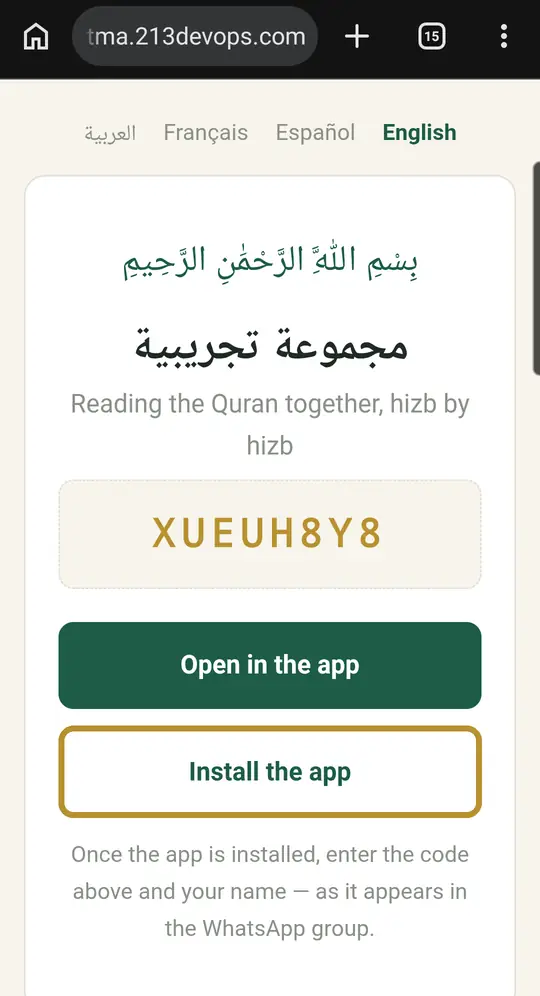
No invitation page in front of you? Download the app here, and ask the moderator for the code.
Install the app2Open the downloaded file
When the download is finished, a bar appears at the top of the screen: “File downloaded”. Tap Open.
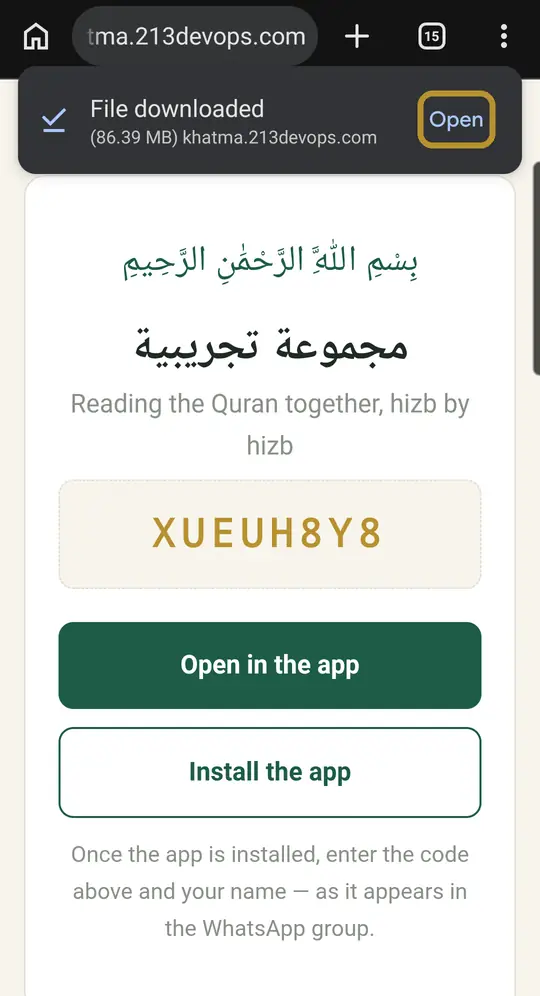
The bar disappeared before you tapped it? Pull down the notifications from the top of the screen, and tap the file khatma-….apk.
3Allow installing from this source
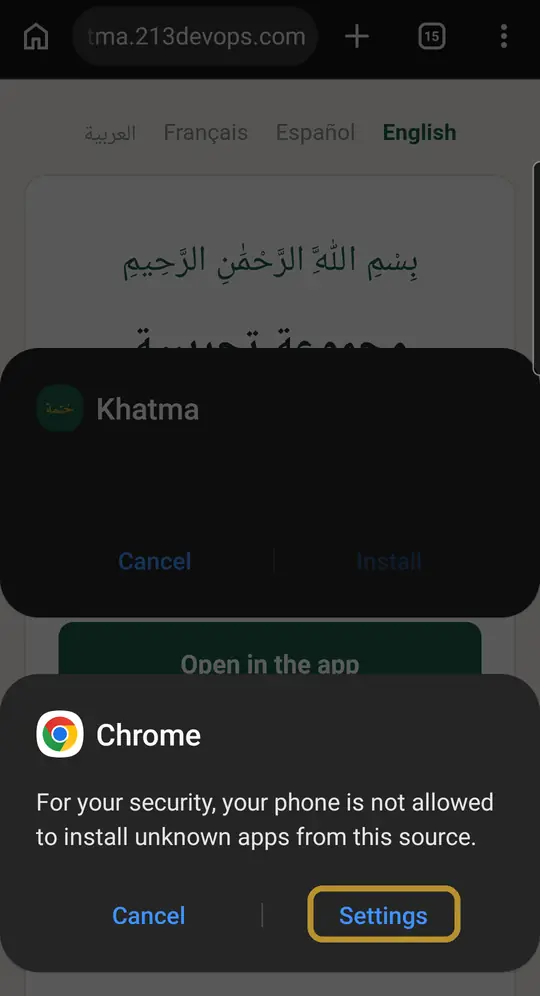
The phone says: “For your security, your phone is not allowed to install unknown apps from this source.” That is normal: the app does not come from the Google Play Store.
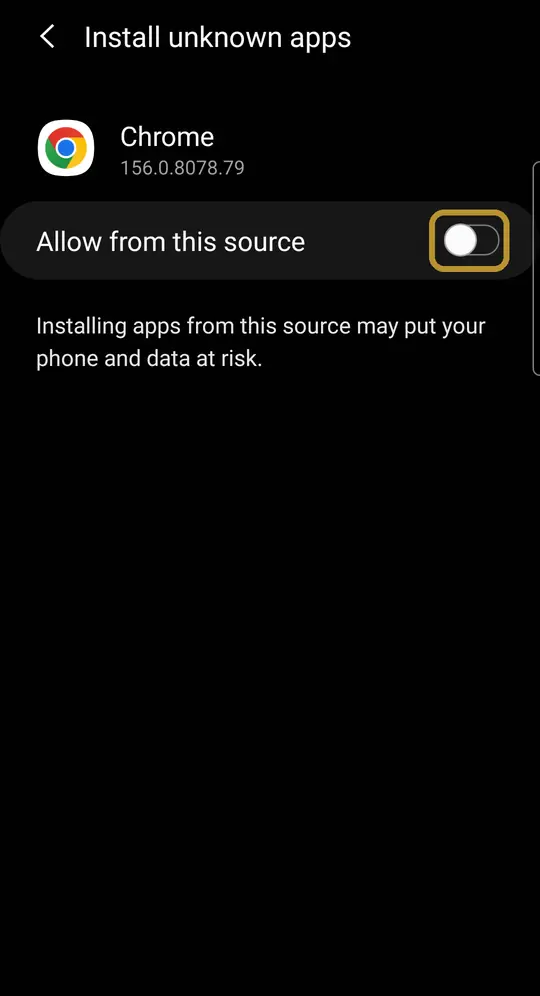
Tap Settings, turn on Allow from this source, then go back with your phone's back button.
4Install the app
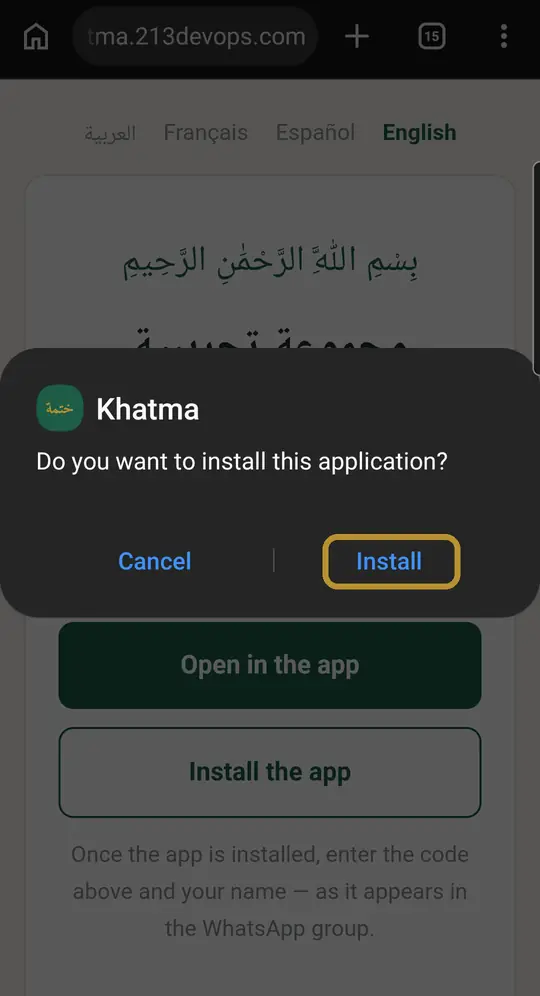
The phone asks: “Do you want to install this application?”. Tap Install.
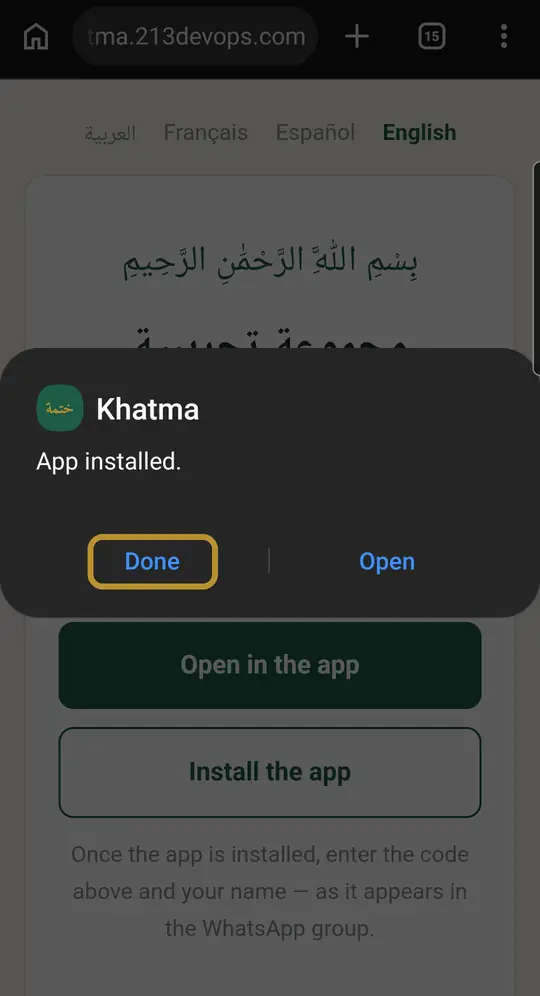
Installing can take a minute or two: wait, and do not tap “Cancel”. When “App installed.” appears, tap Done — not “Open” — and go back to the invitation page: from there the app opens with the code already filled in.
5Open the app from the invitation page
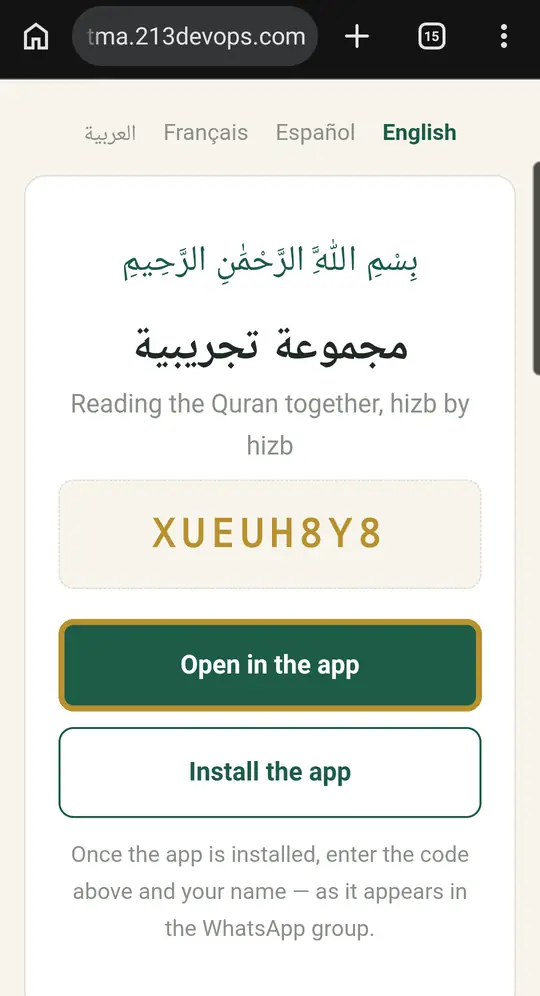
On the invitation page, now tap Open in the app: the app opens with the invitation code already filled in.
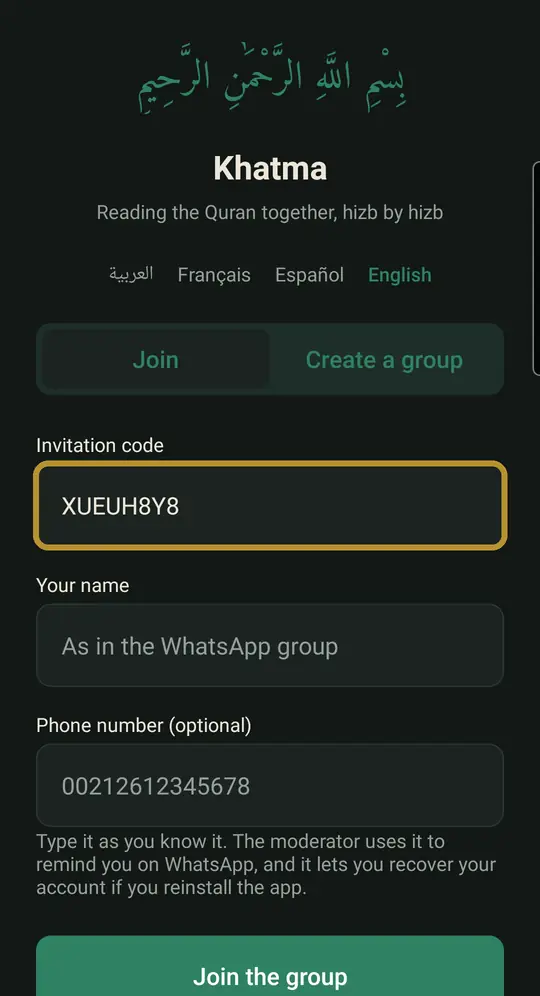
Or open the app from your phone's home screen and type the code yourself: it is on the invitation page.
6The app's language
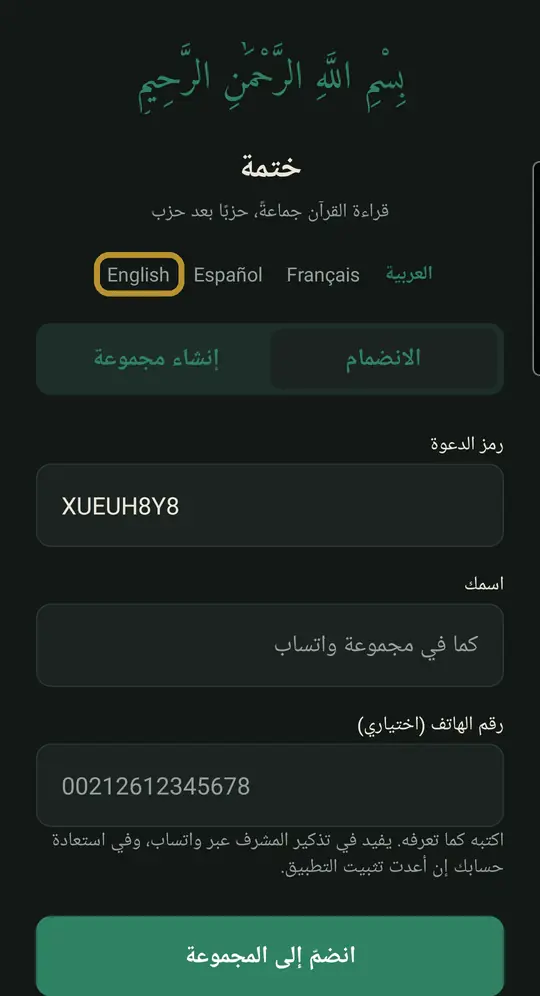
The app opens in Arabic, even on a phone set to English. Tap English under the title and confirm: it restarts in English, with the code still filled in.
7Your name and your number
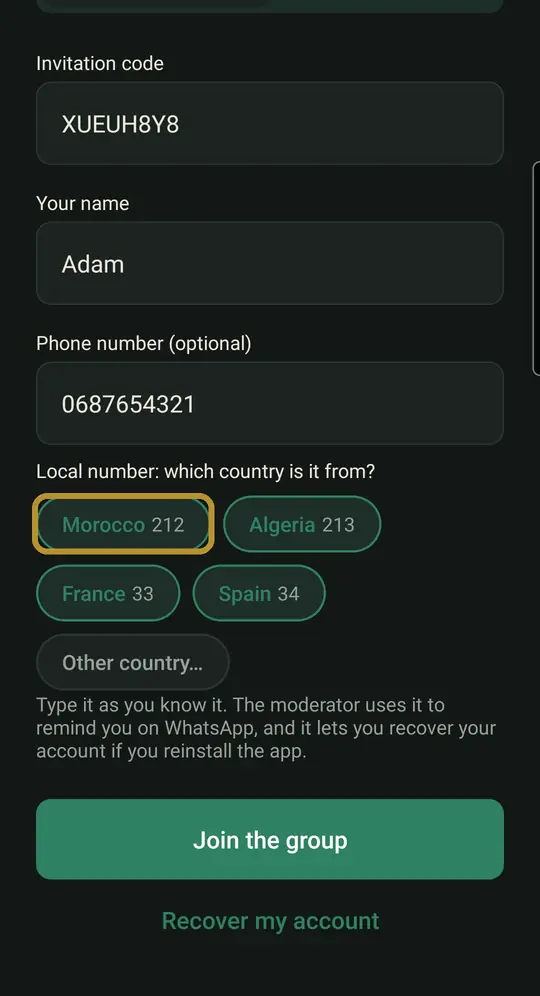
Your name: write it the way the brothers in the WhatsApp group know you, so the moderator knows who you are.
The phone number is optional, but give it: the moderator uses it to remind you on WhatsApp if you fall behind, and you use it to recover your account if you change phones. Other members cannot see it.
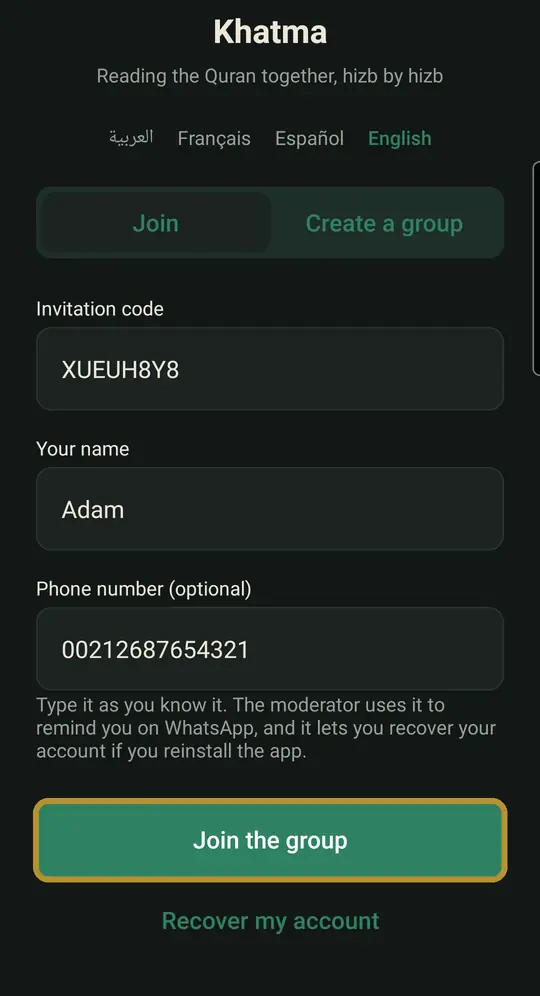
Write it with the country code, 00212687654321, or the way you know it, 0687654321: the app then asks “which country is it from?” — tap your country and the number is completed.
8Join the group
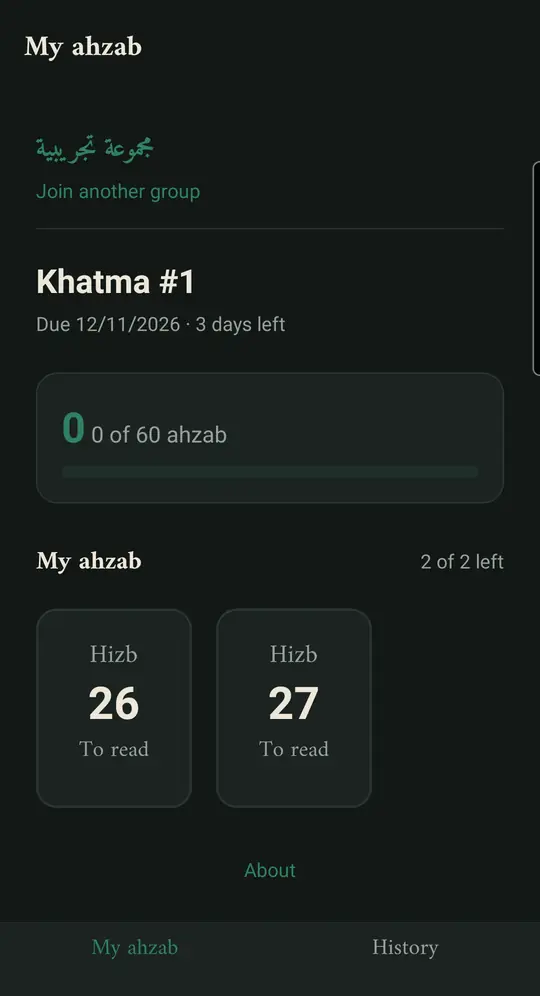
Tap Join the group. Your ahzab in the current khatma appear: once you have read a hizb, tap it to mark it.
If something goes wrong
The phone blocks the installation (Samsung)
Recent Samsung phones have an option that prevents installing any app that does not come from a store: Auto Blocker. Turn it off in Settings › Security and privacy › Auto Blocker, then install the app.
The installation fails
Check that there is enough free space on the phone — at least 300 MB — and try again. The app needs Android 7 or later.
“Unknown code”
The code does not match any group: ask the moderator to share the invitation link again.
You changed phones, or reinstalled
Do not join a second time: in the app, choose Recover my account, and your ahzab come back to you under your name. Details in the guide.
An iPhone
For now the app only exists for Android. Tell the moderator: they will mark your readings for you.